What you can do with it
- Bulk: a list of 30 names gives you 30 certificates in one file, each on its own slide
- Completion, achievement, appreciation, participation: the title is yours to write
- Up to two signatories with titles, plus a date line; an optional note per recipient ("with distinction")
- Four border styles and six color schemes; every element is an editable shape
Using the online tool
Write the wording
Certificate title (for example "Certificate of Achievement"), the line above the name, the course or achievement, a one-line description, the date and the issuing organization. Leave anything blank to drop it.
Add signatories
Up to two, as
name | title. A signature line is drawn for each, with the date line beside them.Paste the names
One per line. For a personal note on one certificate, add
| noteafter the name: it appears under the course line. Paste from a class roster or an Excel column.Download and print
One slide per recipient. Print from PowerPoint (one slide per page) or File › Save As › PDF to email the certificates.
What's in the template
Prefer to start from a file? The template is the tool's output for the sample data, with speaker notes that explain how to edit it. Replace the sample text and you're done.
Editing the slide in PowerPoint
Add a logo
Insert › Pictures, place it above the organization name and resize. Copy it to every slide with Ctrl+C, then Ctrl+V on each slide, or add it once on the slide master.
Change the border
Choose Single, Thick or None before downloading, or select the border rectangles in PowerPoint and change their outline weight and color.
Sign by hand
Print, sign above the lines. For digital signatures, insert a picture of the signature above each line.
Use a different size
Design › Slide Size › Custom: 11 × 8.5 in (Letter) or 29.7 × 21 cm (A4), choose Ensure Fit. Then check the border still sits inside the page.
How the slide is built
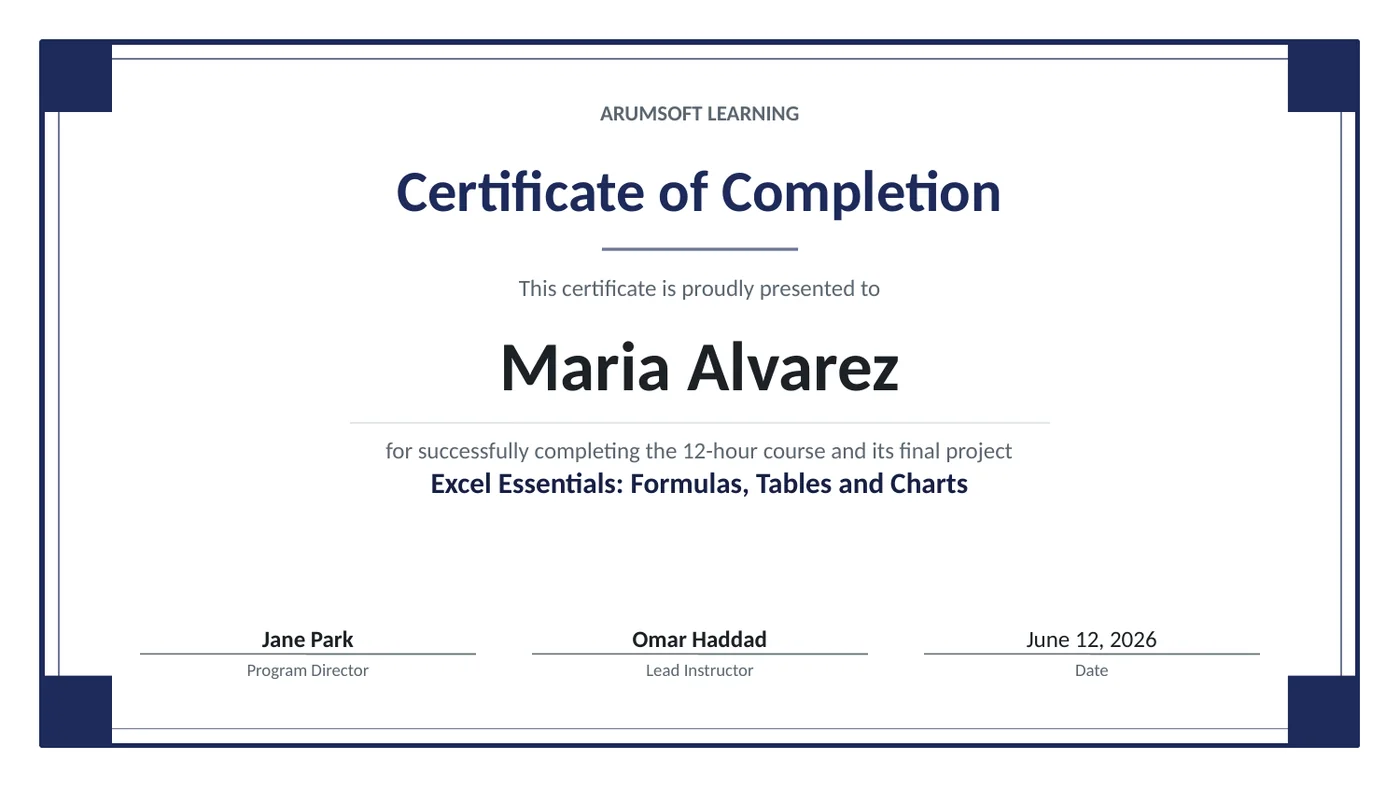
The certificate is a stack of plain shapes: two border rectangles with four small corner squares, a short rule under the title, a rule under the name, and text boxes for the organization, title, intro line, name, course, description and each signature slot. The name box shrinks its font for long names. Because every certificate uses the same coordinates, the deck prints as a consistent set.
Frequently asked questions
How many certificates can I make at once?
As many names as you paste. A hundred names make a hundred slides; the file is still small because each slide is only shapes and text.
Can I make a certificate of appreciation or participation?
Yes, it's just the wording: set the title to "Certificate of Appreciation" and the line above the name to "is presented to", for example. The design is the same.
Can I use my school or company colors?
Pick Custom in the color row and enter the hex code. That color becomes the theme accent, so the border, title and corner squares follow it.
Is there a portrait version?
The tool makes landscape (16:9) certificates, which is what most frames and printers expect. For portrait, change the slide size in PowerPoint and move the elements.
Are the names uploaded anywhere?
No. The file is built in your browser; the list is stored only in this browser so it's there next time. Use Clear on a shared computer.
Learn the skills behind this template
Was this guide helpful? Spot a mistake? Send feedback · admin@arumsoft.com