What you can do with it
- The defense order committees expect: outline, background, questions, methods, results, discussion, contributions
- Research questions as numbered cards with hypotheses alongside
- A results chart slide with a statistics panel and a results table slide with a note
- Discussion and limitations side by side, so the committee sees you know the weaknesses
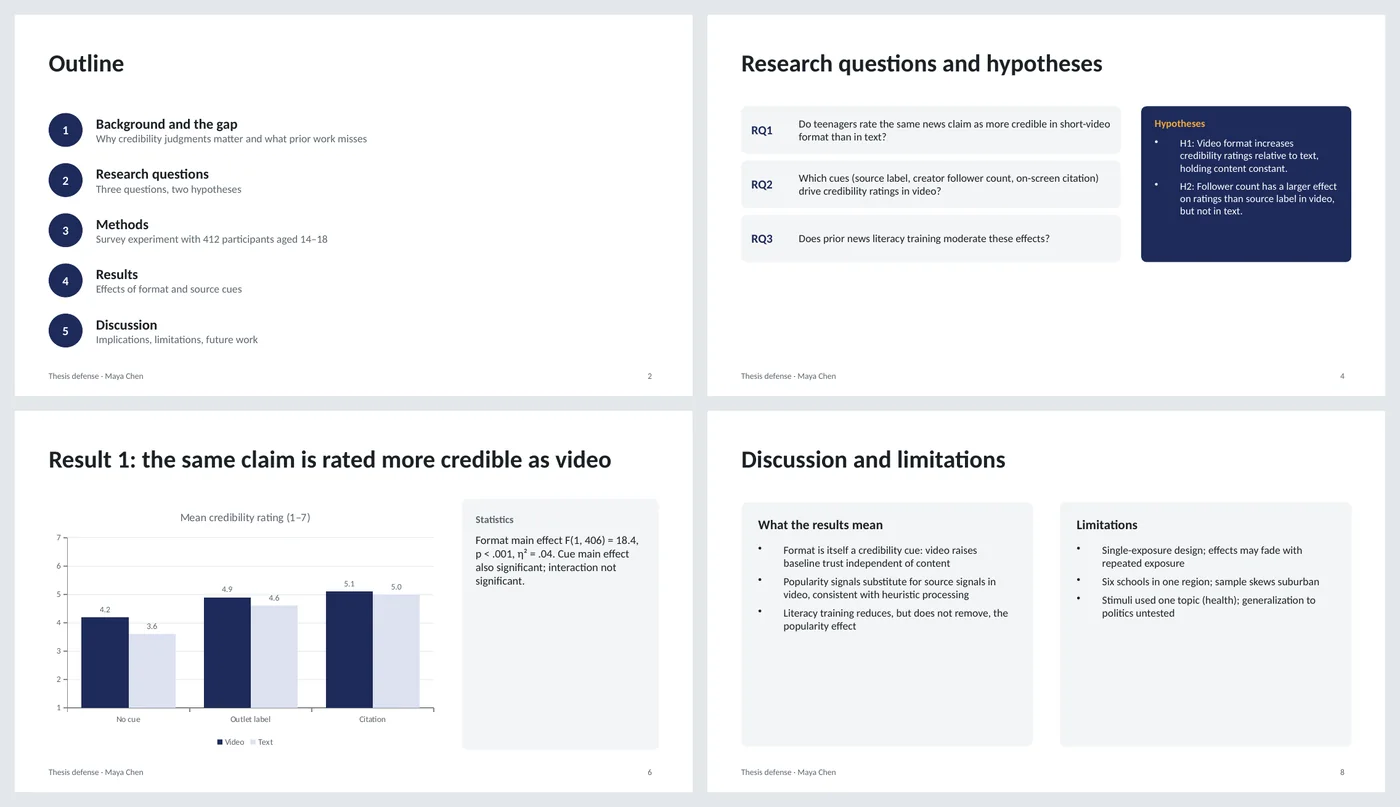
Slide by slide: what to write
Title
Thesis title as a question or claim, your name and program, the committee by name, the date. Committees notice when their names are right.
Outline
Five numbered sections with a one-line description each. Say how long you will talk and that questions are welcome at the end.
Background and the gap
Three cards: one statistic that shows the problem matters, what prior work established, and the gap in one sentence. The gap card is highlighted because it is the reason the thesis exists.
Research questions
Numbered questions, each answerable with the data you collected. Hypotheses beside them, labeled, so the results slides can refer back to H1 and H2.
Methods
Design, sample, measures, analysis as a four-step strip with two lines under each. Put instruments and full statistics in backup slides.
Results 1
One chart answering the first question, with the test statistic in a panel beside it. Title the slide with the finding, not "Results".
Results 2
A table for the second question, with a column that says which hypothesis each row supports, and a one-line note on the moderation finding.
Discussion and limitations
What the results mean on the left, the three limitations you would raise yourself on the right. Naming them first takes the sting out of the questions.
Contributions and future work
Three contributions (empirical, methodological, practical) and the studies that should follow.
Thank you
Contact and a link to data or materials. Stay on this slide during questions.
What's in the template
The deck is a finished example, not a blank frame: every slide is filled in for a fictional company so you can see the length, tone and level of detail that works, then overwrite it.
Editing the slide in PowerPoint
Swap the chart
Right-click › Edit Data to enter your conditions and means. For a different chart type, Chart Design › Change Chart Type keeps the styling.
Add backup slides
Duplicate a content slide after the thank-you slide for each extra table or figure; the section will show as "Backup" if you add a section (right-click between slides › Add Section).
Change the colors
Design › Variants › Colors changes cards, chevrons, chart and tables together. Many departments have a template; copy these slides into it with "Use destination theme".
Time it
Ten content slides at 1.5–2 minutes each is a 15–20 minute talk, which suits most master's defenses. For a doctoral defense, add results slides rather than lengthening the others.
How the slide is built
Two layouts plus a dark closing layout. The outline and research questions use numbered circles and cards; methods use chevrons; results use a native clustered-column chart with a statistics panel and a native table; discussion uses two equal columns. Everything is plain shapes in theme colors, so a department template can absorb it.
Frequently asked questions
How long should a thesis defense presentation be?
Ask your department; 15–20 minutes for a master's and 30–45 for a doctorate is common. This template is sized for the shorter talk and extends with results slides.
Should I show every result?
No. Show the results that answer the research questions on the slides and keep the rest as backup. Committees ask for detail; they rarely ask for less.
How do I present limitations without undermining the work?
State each limitation with its consequence and what would fix it, as the sample does. That shows judgment rather than weakness.
Can I use this for a capstone or undergraduate project?
Yes. Drop the hypotheses if the project is descriptive, and merge the two results slides if you have one main finding.
Is the study real?
No. The topic, numbers and names are invented to show the structure. Replace everything.
Learn the skills behind this template
Was this guide helpful? Spot a mistake? Send feedback · admin@arumsoft.com