What you can do with it
- Any year from 1900 to 2100, any run of 1 to 24 months (a school year, a quarter, a single month)
- US federal holidays (with observed dates) or Korean public holidays (with substitute holidays) filled in automatically
- Your own events on the right dates: paste
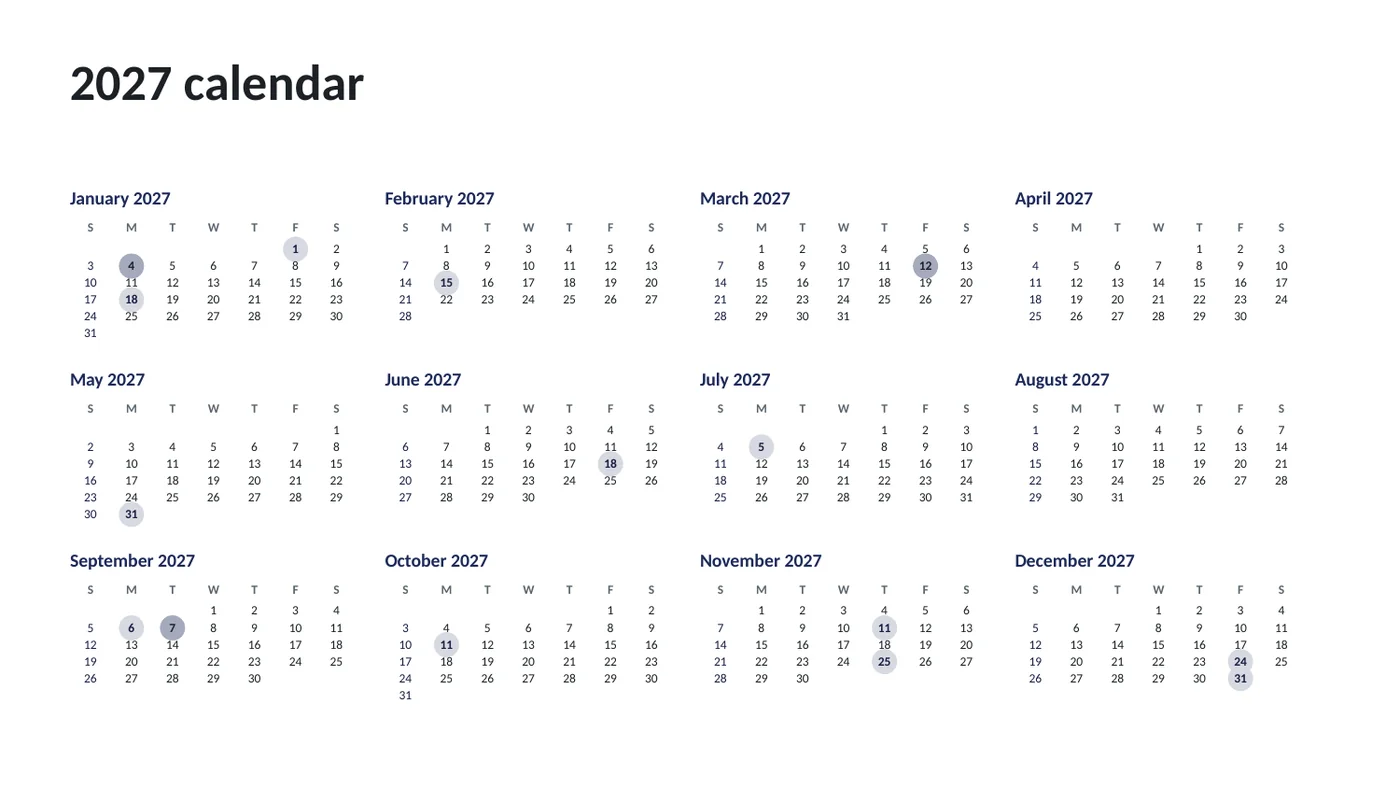
date | labellines - A year-at-a-glance slide with holidays and events marked, then a full-page grid per month
Using the online tool
Set the range
Type the year, pick the first month and how many months to make. 12 from January is a full year; 10 from September is a school year; 3 is a quarter.
Choose holidays and the week start
United States adds the eleven federal holidays with their observed dates; South Korea adds public holidays including Seollal, Chuseok and substitute holidays (2025–2028 for the lunar ones). Start the week on Sunday or Monday.
Add your dates
One per line:
date | label. Paste from Excel. Each label appears in its day cell and marks the day on the overview slide.Download
The overview slide comes first, then one slide per month. Open the .pptx and type into any cell; the cells are shapes with their own text boxes.
What's in the template
Prefer to start from a file? The template is the tool's output for the sample data, with speaker notes that explain how to edit it. Replace the sample text and you're done.
Editing the slide in PowerPoint
Write in a day
Click the small text box inside the cell (under the date number) and type. Press Enter for a second line. Text shrinks to fit if you write a lot.
Mark a day with color
Select the cell's rectangle and use Shape Fill with a theme color. Weekend cells are tinted by default; change that the same way.
Change colors
The weekday header uses the theme accent and holidays the darker accent, so Design › Variants › Colors restyles every month at once.
Print it
File › Print, one slide per page, landscape. For a wall calendar, set Design › Slide Size to A4 or Letter before printing, then stretch the grid to fit.
How the slide is built
Each month is a 7-column grid of rectangles sized to fit the slide, with a weekday header band, a text box for the date number and a second one for holidays and events. The year-at-a-glance slide draws twelve mini grids with a dot behind any marked day. Holidays are computed from rules (third Monday of January, fourth Thursday of November…) and a short table for Korea's lunar holidays.
Frequently asked questions
Can I make a school-year calendar?
Yes: set the first month to August or September and the number of months to 10 or 12. The year you type is the year of the first month; later months roll into the next year automatically.
Are the holidays accurate?
US federal holidays follow the official rules, including the observed Friday or Monday when a fixed date lands on a weekend. Korean public holidays use the fixed dates plus a table for Seollal, Buddha's Birthday and Chuseok for 2025 to 2028, and apply the substitute-holiday rule. Government announcements can add one-off days, so check the official notice for the year you need.
Can I have a week that starts on Monday?
Yes, use the Week starts on switch. The overview and the monthly grids both follow it.
Can I print it as a PDF?
Yes: File › Save As › PDF in PowerPoint, or File › Download › PDF in Google Slides. One slide becomes one page.
Can I add a photo above each month?
The grid uses the full slide. To add photos, shrink the grid (select all its shapes, then drag a corner) and insert the picture in the space you freed, or switch to a 4:3 or custom slide size first.
Learn the skills behind this template
Was this guide helpful? Spot a mistake? Send feedback · admin@arumsoft.com