What you can do with it
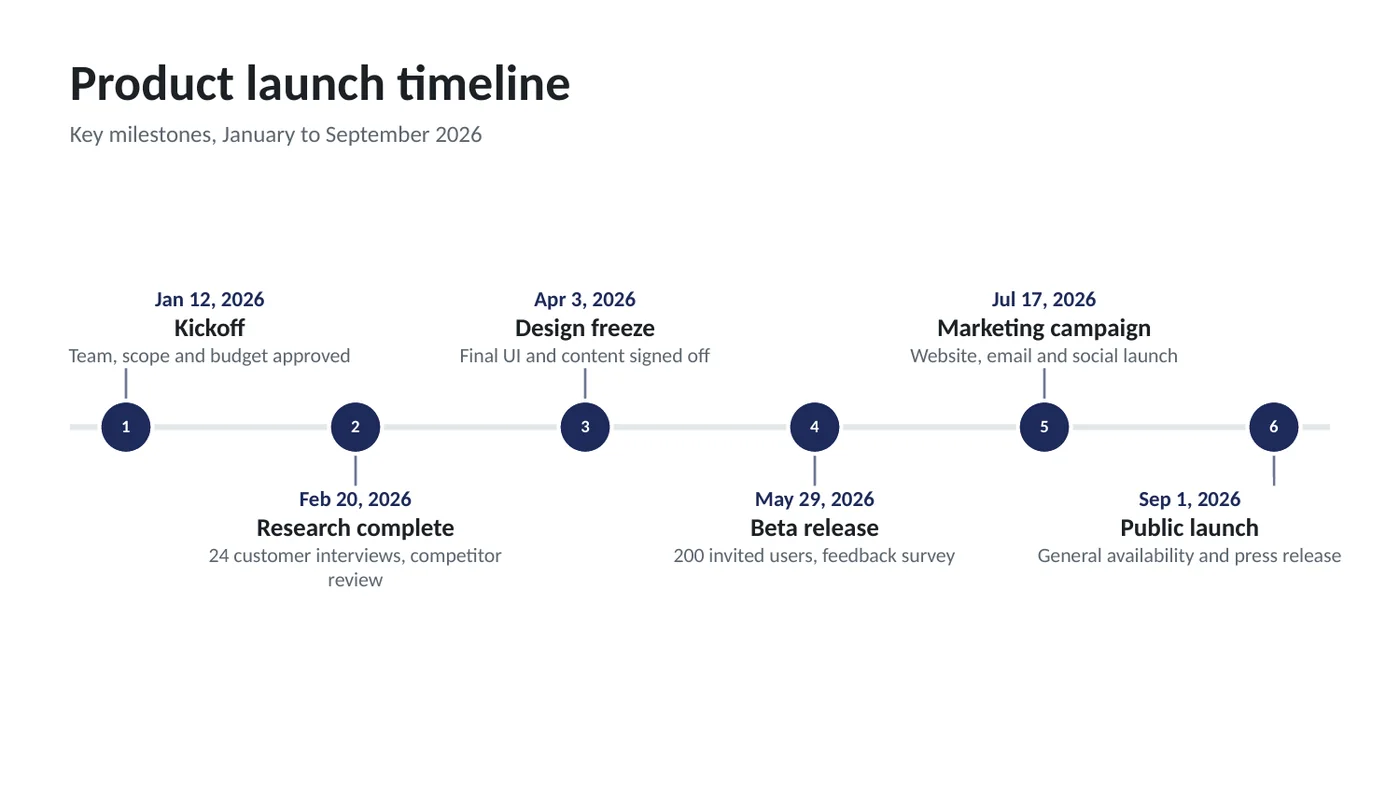
- Horizontal timeline with numbered markers and alternating labels, or a vertical list layout
- Dates in any common format: 2026-03-15, Mar 15 2026, March 2026, Q3 2026, 2026
- Up to 8 milestones per slide; longer timelines continue on the next slide
- Every marker, label and line is an ordinary PowerPoint shape in theme colors
Using the online tool
Type or paste your milestones
One per line:
date | title | description. The description is optional. You can paste three columns straight from Excel or Google Sheets — tabs work as separators too.Check the dates
Milestones are sorted by date and labeled to match what you typed: a full date shows as "Mar 15, 2026", a month as "March 2026", a quarter as "Q3 2026". A line the tool can't read is listed under the box so you can fix it.
Choose a layout and color
Horizontal suits 3 to 8 milestones on one slide. Vertical gives each milestone a full-width line of description and works well for 5 to 6 per slide. The accent color becomes the deck's theme color.
Download and edit
The preview is the slide. Download the .pptx and open it: click any label to edit, drag a marker to nudge it, or change every color at once with Design › Variants.
What's in the template
Prefer to start from a file? The template is the tool's output for the sample data, with speaker notes that explain how to edit it. Replace the sample text and you're done.
Editing the slide in PowerPoint
Add a milestone
Copy a marker, its tick and its label (select all three, Ctrl+C, Ctrl+V), move the copy and retype. Or come back here, add a line and download again.
Change colors
Design › Variants › Colors changes markers, lines and date labels together because they use the theme's accent color. Pick any Office color set or edit the custom one.
Move everything up or down
Select the whole timeline (drag a box around it) and use the arrow keys. The title and subtitle are separate boxes.
Put it in your own deck
Copy the slide, paste it into your deck with "Use destination theme" and it takes on your deck's fonts and colors.
How the slide is built
Each milestone is three shapes — an oval marker with a number, a short connector line and a text box — placed from the same coordinates the preview uses. The baseline is one thick line in a light theme color. Nothing is grouped, so every piece moves on its own; nothing is SmartArt, so it doesn't fight you when you edit.
Frequently asked questions
How many milestones fit on one slide?
Eight without descriptions, six with. Beyond that the timeline continues on a second slide with an arrow at the end of the first, and the numbering carries on.
Can I use a vertical timeline?
Yes. Switch Layout to Vertical: the markers run down the left with the date beside each and the title and description to the right. The downloaded template includes both layouts.
Can I make a timeline without exact dates?
Yes. Type a month, a quarter or a year as the date (March 2026, Q3 2026, 2027) and the label matches. The milestones are still sorted in order.
Does it work in Google Slides or Keynote?
Yes. The file uses only standard shapes and text, so it opens in Google Slides, Keynote and LibreOffice. Theme colors carry over; in Google Slides, recolor through Slide › Edit theme.
Is my data uploaded anywhere?
No. The page builds the file in your browser and keeps your last entries in this browser only, so they're still there next time.
Learn the skills behind this template
Was this guide helpful? Spot a mistake? Send feedback · admin@arumsoft.com