What you can do with it
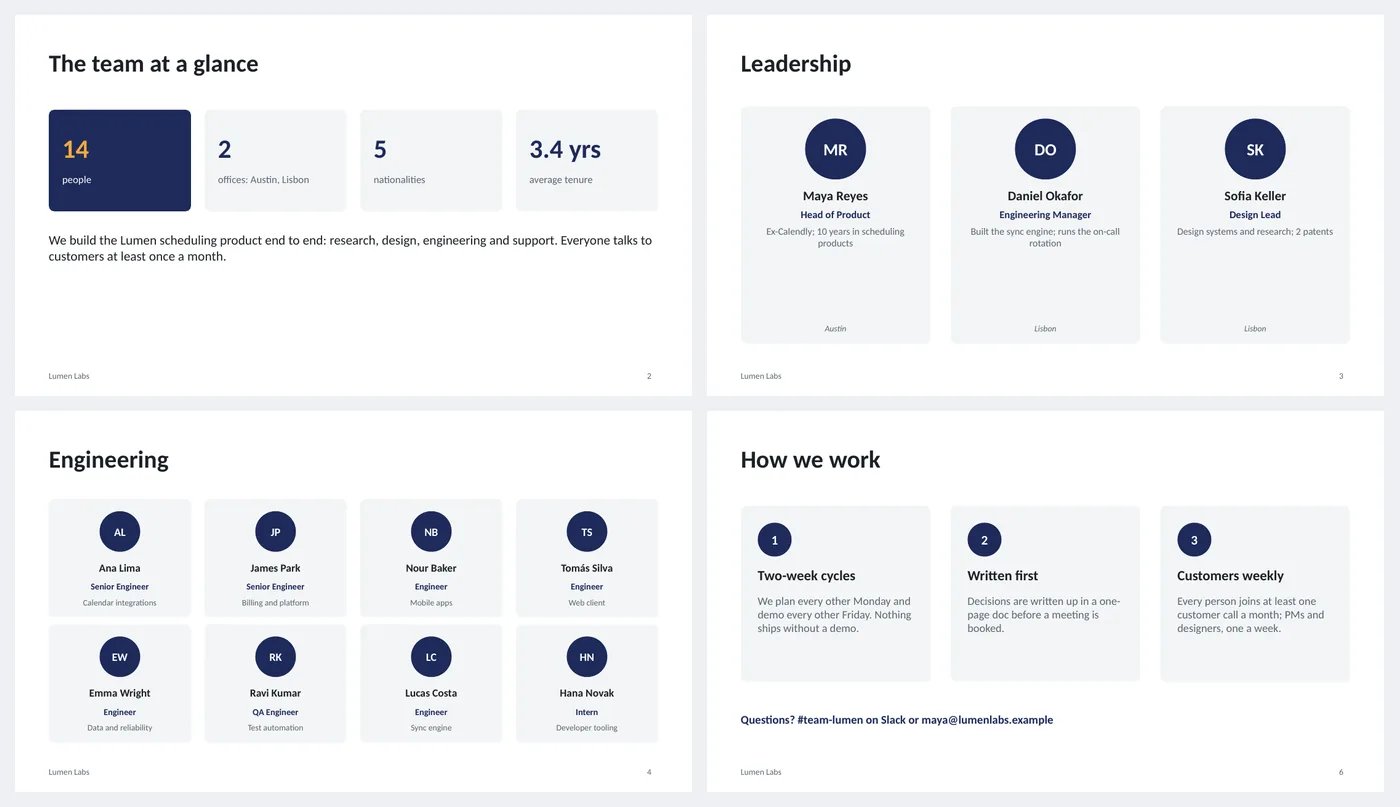
- Team at a glance: four number tiles and a two-sentence description
- Three large leadership cards with role, bio line and location
- Eight-card grid for a larger group; four-card row for a smaller one
- Initials circles sized for a cropped photo
- How we work: three principle cards and a contact line
Slide by slide: what to write
Title
Team name, what it is part of and one line of scale: people and locations.
Team at a glance
Four numbers (people, offices, nationalities, tenure) and two sentences on what the team does and one thing it is proud of.
Leadership
Three cards: name, role, one line of background, location. Bigger cards for fewer people.
Engineering (grid)
Eight cards in two rows: name, role and area. For more people, duplicate the slide rather than shrinking the cards.
Product, design and support (row)
Four cards in one row for a smaller group; the same card at a larger size.
How we work
Three principles a newcomer should know in week one, each with one sentence of what it means in practice, and where to ask questions.
What's in the template
The deck is a finished example, not a blank frame: every slide is filled in for a fictional company so you can see the length, tone and level of detail that works, then overwrite it.
Editing the slide in PowerPoint
Replace initials with photos
Insert › Pictures, crop to a circle (Picture Format › Crop › Crop to Shape › Oval), resize to the initials circle and place it on top. Delete the initials text.
Add people
Copy a card (select all its parts, or group them first with Ctrl+G) and paste. Use Shape Format › Align › Distribute to space a row.
Change the card color
Cards use the light background color from the theme; the avatar circle uses accent 1. Change either in Design › Variants › Colors.
Change the colors
Design › Variants › Colors. Every shape, table and chart uses theme colors, so one change recolors the whole deck. The green, amber and red status words are fixed on purpose.
How the slide is built
Three layouts (title, content, dark closing) with placeholders, footer and slide numbers, built on a named theme so Design › Variants recolors every slide at once. Each person card is a rounded rectangle, an ellipse with initials and three text boxes; cards come in two sizes. Number tiles and principle cards are rounded rectangles.
Frequently asked questions
How do I get consistent photos?
Ask for square headshots, crop all to a circle at the same size, and keep the same background style. Mismatched photos look worse than initials.
What should the bio line say?
What they own or are known for, in six words: "Calendar integrations", "Ran the on-call rotation". Not years of experience unless it matters to the audience.
Can I use it for a client-facing team page?
Yes. Keep leadership and the people who will be on the account, drop the rest, and replace "how we work" with how the client reaches each person.
How many people per slide?
Three large, eight small, or four medium, as in the example. Twelve small cards fit but the names get hard to read on a projector.
Is the sample company real?
No. The company, people and numbers are invented so the deck can show realistic length and tone. Replace all of it.
Learn the skills behind this template
Was this guide helpful? Spot a mistake? Send feedback · admin@arumsoft.com